
Create and manage your table plan
When creating a new table plan, go to “Capacity”, and “Table Plan Setup”

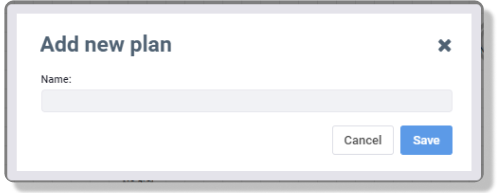
When creating a new table plan, first click ‘+ Add new’, the name the table plan, and save.

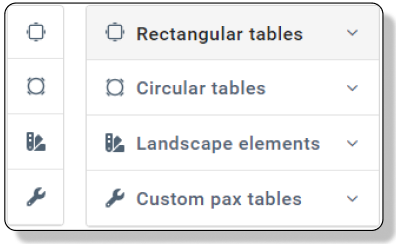
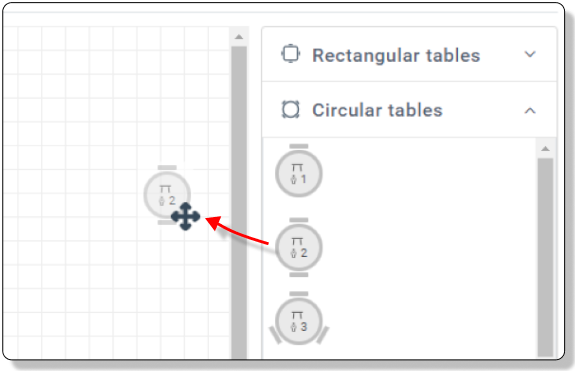
Now start to drag tables in from the right side. Choose between Rectangular, Circular or Special
The number of chairs is written in the template table
The rules for the table will now open.
Now add the details
Details
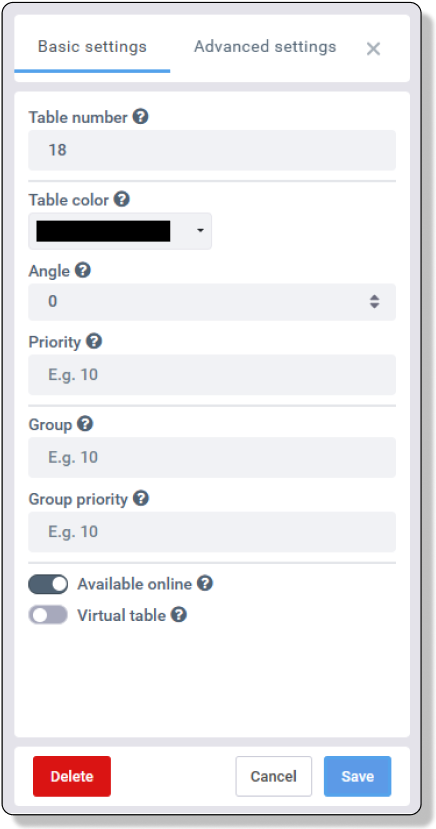
Basic Settings
- Table no.
Assign the table number. - Color
Add a color to the table. The color is only used in the Time Plan. The color can be used to define spaces in the restaurant, indicate for what table the can be booked together or are offline. - Angle
Turn the table to match your table plan. - Priority
Choose which table should be booked first. The table with the highest number will be assign a booking first.
The system will always assign as few chairs and tables as possible, no matter the priority. - Group
Group column provides flexibility in terms of tables that can be booked together in the same online booking.
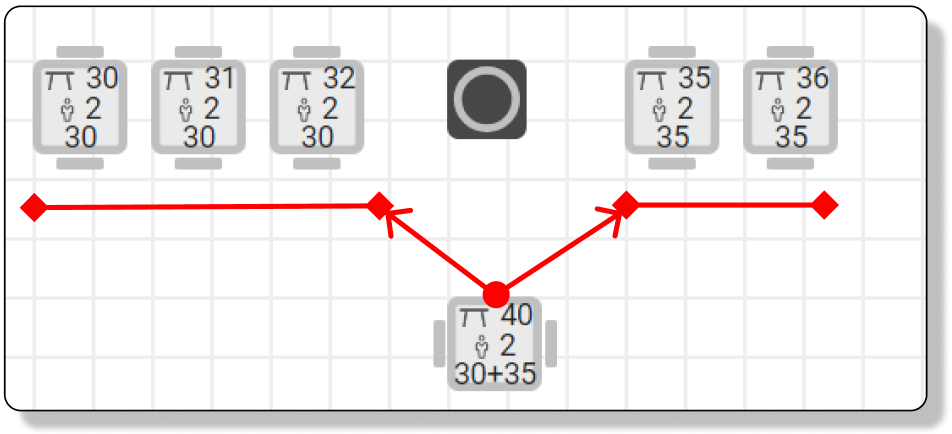
Two tables with the same group number can be booked together. A table can belong to multiple groups by adding a + between the number. See example picture below
The following example illustrates this:
Table 30 – Group X
Table 31 – Group X
Table 35 – Group Y
Table 36 – Group Y
Table 40 – Group X+Y This allows table 40 to go into the same group as table 30+31 and 35+36, but 30 and 35 cannot be booked together
This feature only applies online. Maximum 8 tables can be included in one group. - Group Priority
Decide whichs tables should be assigned first, when the system need to combine tables for a booking. - Online
Set if the table should be avaible for online bookings or no. Unchecked tables will only be availble for internal bookings. - Virtual Table
Virtual tables let you accept more guests than your physical table setup normally allows.
For example, three 2-top tables can be combined to seat 6 guests in the system, but may fit 8 guests in reality.
In this case, create a Virtual Table with a Min. no. of PAX set to 7 (see Advanced Settings) and add it to the same group.
This way, larger bookings can be accepted without changing your physical table layout.
Advanced Settings
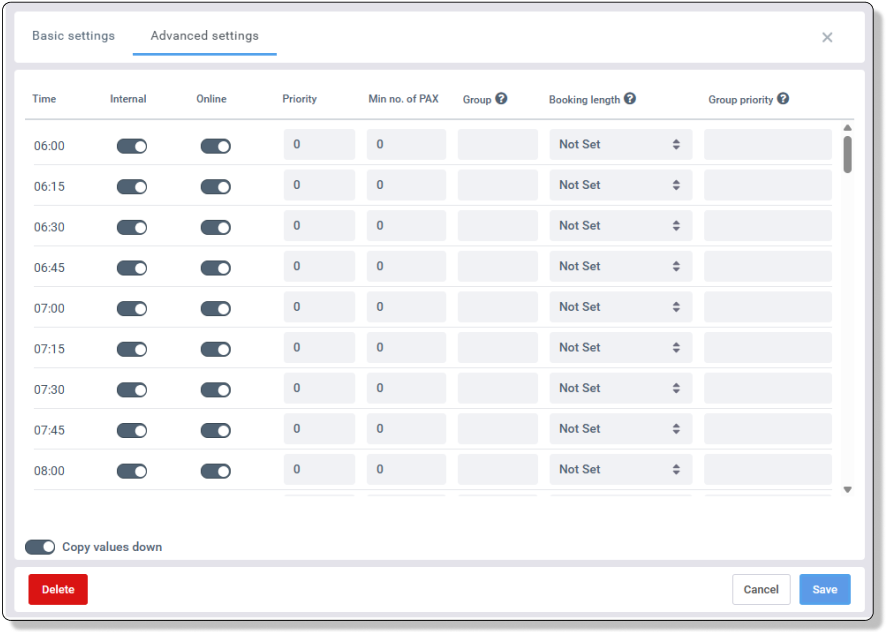
Set more specific details in Advanced Settings.
Here you can add settings per arrival time, set a minimum number of guests allowed on a table, and define a booking length for a special table.
- Time
Shows arrival times and lets you apply specific settings to each time slot. - Internal
Disable if the table should not be available for internal bookings.
Internal bookings can always overbook this setting. - Online
Disable if the table should not be available for online bookings at specific arrival times.
Disabled times will still be available for internal bookings. - Priority
Choose which table should be booked first.
Tables with a higher number are assigned before lower ones.
The system will always use as few tables and chairs as possible, regardless of priority. - Min no. of PAX
Sets the minimum number of guests allowed for this table.
Useful for larger tables that should not be bookable for small parties (e.g. 2 guests). - Group
Groups control which tables can be combined for online bookings.
Tables with the same group number can be booked together.
A table can belong to multiple groups by adding+.
Example:
Table 30 – Group X
Table 31 – Group X
Table 35 – Group Y
Table 36 – Group Y
Table 40 – Group X+Y
This allows Table 40 to combine with both Group X and Group Y, but tables from Group X and Y cannot combine directly.
Maximum 8 tables per group. Online bookings only. - Booking Length
Sets how long the table is occupied (in minutes). Overrides your Opening Times.
Only use for special tables. Normally this should be Not set. - Group Priority
Controls which tables are chosen first within a group when multiple tables are combined for a booking.
Works the same way as Priority.
Change the capacity on a table
Click on the table you would like to edit, and click delete.
Now drag the right size table into the table plan.
Remember to set the settings again