
To use Internal Orders, you need to create templates.
Internal Orders consists of Categories and Products.
Product Categories are basically a folder that can be used to organize your products
Products are elements you can select for your booking.
A product could be a menu, a course or add-ons
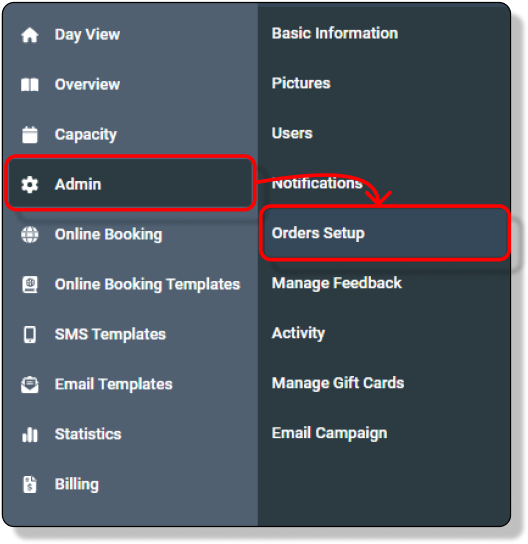
As an Admin, go to “Orders Setup” under “Admin”
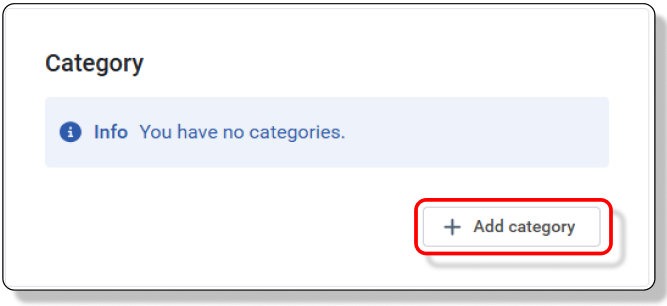
To create a new category, click “Add category” in the Category menu
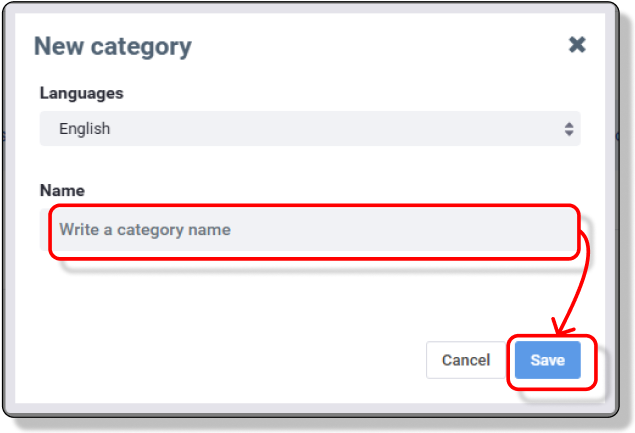
Name the Category and save
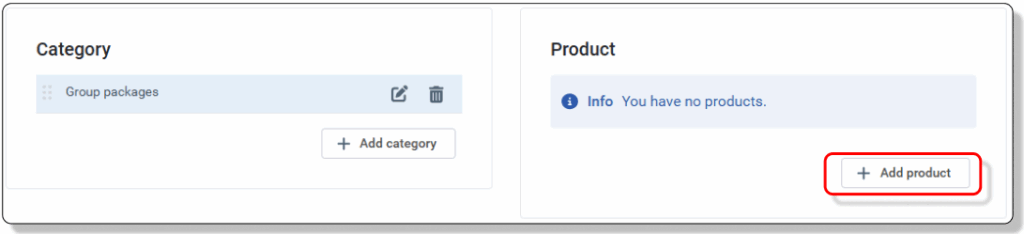
Now add products. Click “Add product” to open a new product
Add details in the new modal
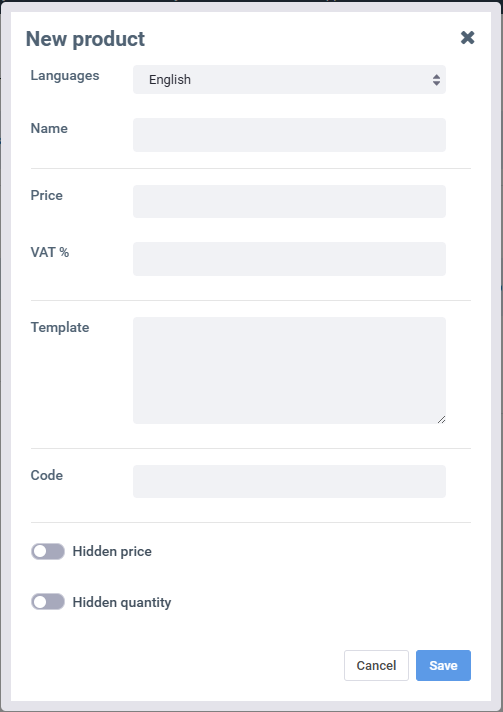
Languages: Choose the language you want to add the name in
Name: Add the name of the product here.
E.g. Half Day Meeting
Price: Add the price per person/item in your local currency
E.g. 50 (In this case 50 Euro)
VAT%: Add the percentage of VAT
E.g. 25 (VAT in Denmark is 25%)
Template: Templates are used to predefine a note to the product.
Let’s use our Half Day Meeting as an example, as it’s always the same that’s included.
Breakfast
Fruit
Coffee/Tea
AV equipment
Code: Code is only used in connection with pos integration.
Please contact DinnerBooking for more information
support@dinnerbooking.com
Hidden price: If you add a product that doesn’t need a price, checkmark this.
E.g.
Information about allergies
Hidden quantity: If you add a product that doesn’t need a quantity, checkmark this.
E.g.
Information about cancellation policies